

A recurring process is easier to manage when its steps, owner and intended outcome are recorded in one clear, accessible place. This gives business operational support a practical foundation: people can follow a consistent approach, see what happens next and spot where work is getting held up.
Documenting a process needn’t mean creating a lengthy manual. A useful guide can be concise and straightforward to maintain. This article explains what to record, how to organise the steps and how to keep the document relevant as work changes. Consistent records help recurring tasks stay organised, whether you’re managing client onboarding, project updates or routine administration in a South African business.
Key Takeaways
- Start documenting a recurring task by identifying what triggers it, who owns it and what a completed result looks like.
- Set out the steps in the order they happen, including the tools used and where work may need to pause for a decision.
- Keep instructions easy to find and review them when the process or responsibilities change.
- Use virtual assistant support when maintaining routine processes is taking attention away from other business priorities.
Business operational support
Business operational support keeps an organisation’s core work moving through coordinated people, processes and systems. It can cover workflows, finance, accounting, logistics, facilities and IT systems. In a South African consultancy, for example, it might mean recording how a new client enquiry becomes a confirmed project. A written process helps staff understand each handover, use the right information and identify delays.
For recurring work, explain how to complete the task rather than simply naming it. A monthly project update, for instance, might involve gathering progress notes, checking deadlines, preparing a summary and sharing it with the client. Recording these actions gives the person responsible a consistent reference and helps a colleague take over if schedules change or the task is reassigned.
Build a practical process record
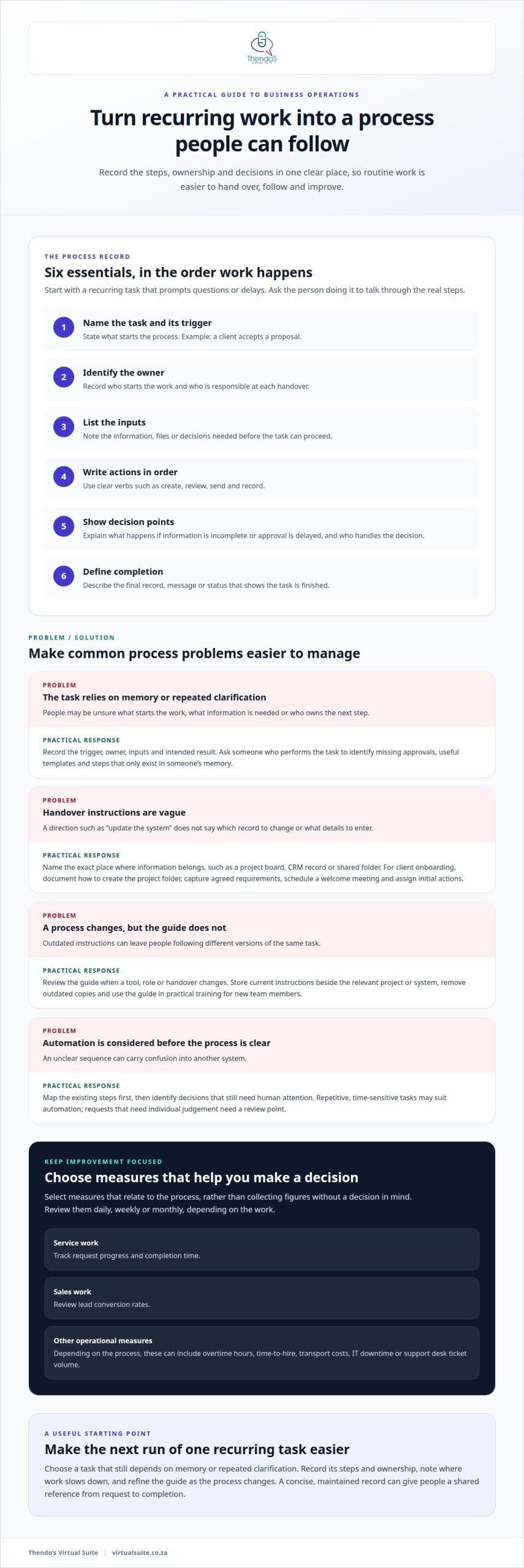
Start with a regular task that prompts repeated questions or delays. Record its trigger, owner, required information, steps and intended result. Then ask someone who performs it to talk you through the process. They may identify missing approvals, useful templates or steps that exist only in someone’s memory.
- Name the task and trigger. For example, record that the process begins when a client accepts a proposal.
- Identify the owner. State who starts the work and who handles each handover.
- List the inputs. Note the details, files or decisions needed before work can proceed.
- Write the actions in order. Use clear verbs, such as create, review, send or record.
- Show decision points. Explain what happens when information is incomplete or approval is delayed.
- Define completion. Describe the final record, message or status that shows the task is finished.
For client onboarding, the record could explain how to create a project folder, capture agreed requirements, schedule a welcome meeting and assign initial actions. Show where each item is recorded, such as a named project board, CRM record or shared folder, so staff have a consistent place to find current information. Avoid vague instructions like “update the system”; specify which record to update and what details to enter.
Make each instruction specific enough to follow and concise enough to maintain. A short checklist may suit a repeatable task, while a process map can clarify handovers between teams. If a step requires judgement, describe the decision criteria and name the person responsible. For example, a project lead might review a delivery date before confirming it to a client.
Review, improve and measure the process
Review the document when a tool, role or handover changes. Operational support teams can also log incidents, such as a missed approval or unavailable system, to address the cause and prevent repeat problems. Name a contact for questions between teams, and clarify who owns each project stage. These details help staff resolve issues without guessing where responsibility sits.
Automation may suit repetitive, time-sensitive tasks, processes linked to government regulations or those connected to other systems. First, document the existing steps and identify which decisions still need human attention. An appointment reminder may follow a clear trigger, while a client request requiring individual judgement needs a review point. Automating an unclear process can carry confusion into the next system, so map the sequence before changing tools.
Choose measures that show whether the process is working. A service team could track request progress and completion time; a sales team could review lead conversion rates. Other operational measures include overtime hours, time-to-hire, transport costs, IT downtime and support desk ticket volume. Review them daily, weekly or monthly, depending on the work. Choose measures linked to the process, rather than collecting figures without a decision in mind.
Make the process usable for the people who perform it. Store the current instructions beside the relevant project or system, and remove outdated copies. When a new team member joins, use the document in practical training, then invite them to follow the steps independently. Their questions may expose unclear wording. A maintained process record gives recurring work a shared reference, clearer ownership and a visible path from request to completion.
When a company onboards many employees, operational support may coordinate with HR and IT on contracts, training schedules, accounts, devices and system access. Businesses can also consider automation for repetitive or time-sensitive tasks.
Thendo’s Virtual Suite: Virtual assistant support
Thendo’s Virtual Suite provides virtual assistant support and structured operational support for businesses managing recurring work. This can help when routine administration competes with client delivery or documented processes need consistent follow-through. Support can keep agreed steps visible, coordinate task progress and maintain consistent records as work moves between people.
For example, a growing consultancy may have a clear client onboarding process but struggle to keep each action on schedule. Executive & Administrative Support and Project Coordination can help manage the practical administration and keep responsibilities and workflows organised. The aim is to support the processes the business relies on without adding unnecessary complexity.
If recurring work needs more consistent support, book a consultation with Thendo’s Virtual Suite to discuss your operational needs.
Make your next process easier to manage
Choose a recurring task that still relies on memory or repeated clarification, and use its next run to identify a practical improvement. A clear record can help business operational support work more consistently while revealing where responsibilities or handovers need attention. Treat the document as a working guide and refine it as the process changes, rather than aiming for a perfect manual at the outset.
Before changing anything, note where work most often slows down and decide what a smoother handover would look like. That gives you a focused starting point for shaping the process around your business. To consider how this next step could fit your operations, explore Thendo’s Virtual Suite. Small, deliberate improvements can make recurring work easier to manage.

Article by
Thendo Sadiki
CEO of Virtual Suite